
What happens when a small business ships an app that crashes on a Samsung phone it never owned? One-star reviews, refund requests, and a support inbox that fills up overnight. That scenario is exactly why the choice of mobile app testing tools matters so much for teams without a dedicated QA department. The good news: the market now offers genuinely capable options for small budgets. The catch is that “free” and “cheap” mean very different things depending on how much engineering time a team can spare.
This guide compares the tools that make practical sense for small businesses, explains the trade-offs honestly, and shows where teams most often go wrong.
What “Small Business” Actually Changes About Tool Choice
Enterprise QA teams have people whose whole job is running tests. A five-person startup does not. That single difference reshapes every buying decision:
- Licence cost matters, but time cost matters more. A free framework that eats two developer-days per month can cost more than a modest subscription.
- Device coverage is the real bottleneck. No small business owns fifty phones. Cloud device farms solve this, at a price.
- Maintenance is the hidden tax. Mobile operating systems ship new versions every year, and test suites break when they do.
- Nobody wants a tool that needs a specialist. If only one person can run the suite, the suite stops running when that person is on holiday.
With those constraints in mind, here is how the main options stack up.
The Open-Source Core: Appium, Espresso, and XCUITest
Three free frameworks form the backbone of mobile automation, and most small businesses end up using at least one of them.
Appium
Appium is an open-source, cross-platform framework for native, hybrid, and mobile web apps, built on WebDriver-style APIs and first released in 2012. Its big selling point for small teams is reach: one test codebase can drive both Android and iOS. Its big drawback is setup and maintenance effort, which is noticeably higher than with commercial tools. Appium suits teams with at least one engineer comfortable with test infrastructure.
Espresso
Espresso is Google’s open-source Android UI testing framework, announced at Google I/O in 2013 and distributed through Android Jetpack. It runs on the device itself, which makes tests fast and stable for Android-only work. It is free, well documented, and tightly integrated with Android Studio. The limitation is obvious: it does nothing for iOS.
XCUITest
XCUITest is Apple’s built-in UI testing framework for iOS, introduced with Xcode 7 in 2015. Like Espresso, it is free and native to its platform, and like Espresso it is single-platform. For a small business shipping only to iPhone users, it is often the simplest sensible starting point.
The practical pattern many small teams settle into: use Espresso and XCUITest for fast, reliable platform-specific checks, and add Appium only if cross-platform coverage becomes essential.
Cloud Device Farms: Renting Phones by the Minute
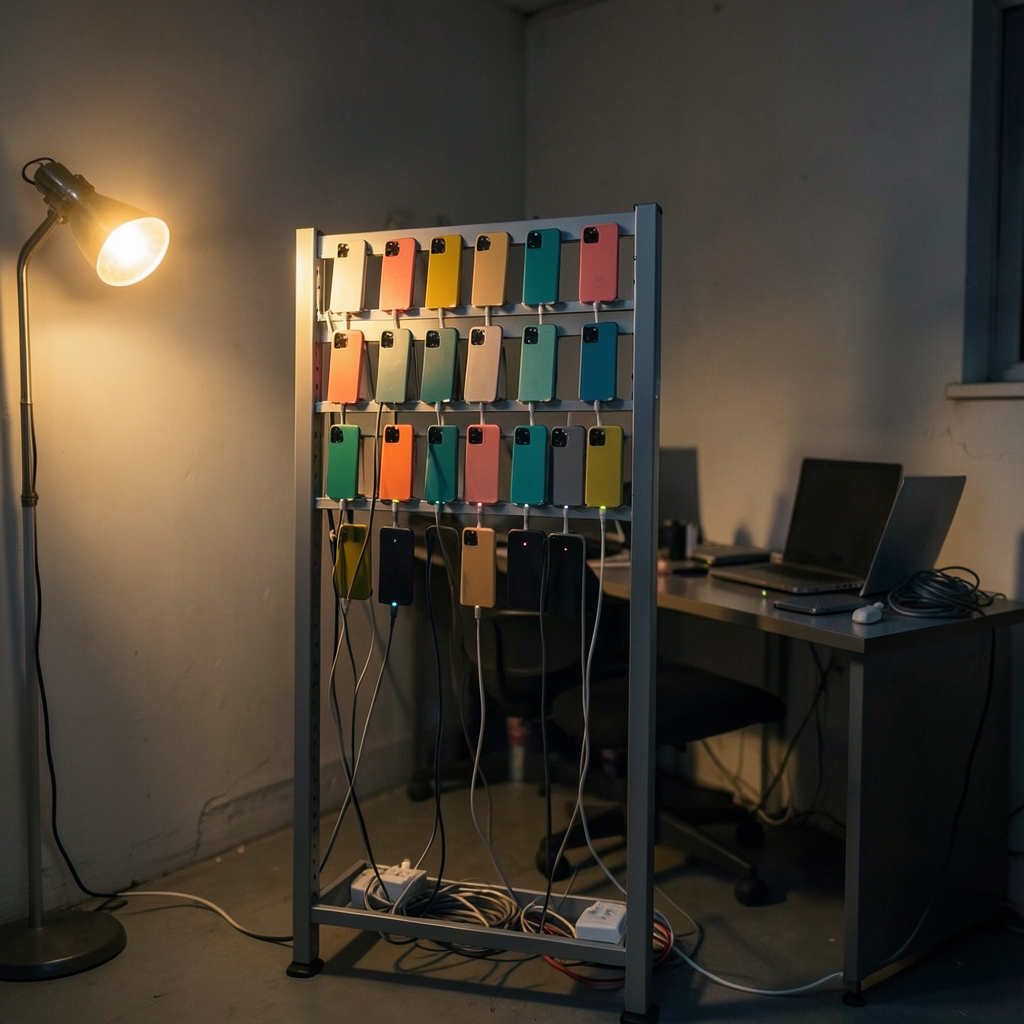
The single biggest practical gap for small businesses is hardware. Cloud device farms let teams run automated tests on real devices without buying a drawer full of phones.
| Tool | Type | Cost model | Best for |
|---|---|---|---|
| BrowserStack App Automate | Commercial cloud device farm | Paid plans and usage-based pricing | Teams wanting real devices with minimal setup |
| Sauce Labs | Commercial cloud device farm | Paid plans and usage-based pricing | Teams needing broad device and browser coverage |
| Firebase Test Lab | Google cloud testing service | Free daily quota tier plus paid tiers | Android-first teams testing on a budget |
Two cautions here. First, exact pricing for commercial farms changes often, so check current plans directly rather than trusting older comparisons. Second, Firebase Test Lab’s free quota has shifted over time, so verify current limits before building a workflow around them. A small business can often run a meaningful nightly test pass on the free tier alone, which is a genuinely underrated starting point.
Newer Contenders Worth Knowing: Maestro and Detox
Two younger tools have gained traction with small, fast-moving teams.
Maestro is an open-source mobile UI testing tool that uses YAML-based flows and aims for very low setup effort. It drew attention around 2023 and 2024. The honest caveat: its maturity and long-term support are less established than Appium’s, so treat bold claims about it with care and check that the project is actively maintained before committing.
Detox is an open-source gray-box end-to-end testing framework for React Native apps, maintained by Wix. It is free and well suited to React Native codebases, but it is React Native-specific, so it is a non-starter for native or Flutter projects.
For a small team already building in React Native, Detox is a natural fit. For everyone else, Maestro is worth a short trial rather than a full commitment.
Don’t Skip Crash Reporting and Accessibility
Testing tools are not only about scripted UI checks. Two cheaper, higher-leverage practices deserve a place in any small business’s stack.
Crash reporting catches the failures real users hit, which scripted tests often miss. Firebase Crashlytics is a free crash-reporting service for iOS and Android, and for many small teams it delivers more value per hour invested than any automation framework.
Accessibility testing protects both users and the business. In the United States, the Department of Justice has held that Title III of the ADA, passed in 1990, applies to the websites and apps of places of public accommodation, with settlement positions dating from 2010 onward. Mobile accessibility guidance is available through WCAG 2.2, a W3C Recommendation published in October 2023. Note that ADA case law on apps remains unsettled in some circuits, so treat this as risk management rather than a settled legal certainty. Practical steps: check screen-reader labels, tap-target sizes, and colour contrast as part of every release.
How to Choose: A Decision Path for Small Teams
Rather than picking a favourite tool, work through the constraints in order.
- List your platforms. Android only? Start with Espresso. iOS only? Start with XCUITest. Both? Plan for Appium or a cross-platform commercial option.
- Count your engineering hours. If nobody can spare a day a month on test maintenance, favour low-setup tools such as Maestro or a managed cloud service over hand-built Appium infrastructure.
- Audit your device reality. If your team owns three phones, a cloud device farm is not a luxury; it is the only way to see how the app behaves on the devices your customers actually use.
- Start with the free tier. Firebase Test Lab’s free daily quota and free crash reporting let a small team build a real testing habit before spending anything.
- Add paid tools only when a specific gap appears. Subscription costs are easy to start and annoying to stop. Buy to solve a named problem, not to feel professional.
Common Mistakes That Cost Small Businesses Money
Experience across small teams surfaces the same errors again and again.
- Chasing 100% automation. Small teams burn months automating flows that a five-minute manual check would cover. Automate the regression paths that break often, and test the rest by hand.
- Testing only on the newest, most expensive phone. Bugs cluster on older, cheaper, and mid-range Android devices, which is precisely what many customers own.
- Ignoring test maintenance in the budget. A suite nobody updates becomes a false sense of security within two OS releases.
- Skipping real devices entirely. Emulators are fast and free, but they miss manufacturer customisations, camera behaviour, and battery-related failures.
- Buying an enterprise platform too early. A small business does not need a QA platform with seat-based licensing for a team of three.
- Forgetting the network. Slow connections and flaky mobile data cause more real-world failures than most UI bugs.
What Actually Works in Practice
The pattern that holds up best for small businesses is unglamorous: a thin layer of fast automated checks, a small set of real devices in the cloud, free crash reporting, and a short manual pass before each release. Teams that try to build a full enterprise-style pipeline in month one usually abandon it by month four.
A realistic first-quarter plan looks like this: set up crash reporting in week one, write a dozen Espresso or XCUITest checks for your most critical user journeys by week four, and add a nightly cloud run once those checks are stable. That is a modest stack, mostly free, and it catches the failures that generate one-star reviews.
Budget-wise, the honest framing is a trade, not a bargain. Free open-source tools cut licence costs but shift spending to engineering time. Commercial cloud farms cut hardware costs but add subscriptions. Neither is universally cheaper; the right answer depends on whether your scarce resource is money or developer hours.
Conclusion
The best mobile app testing tools for small businesses are not the most powerful ones on paper. They are the ones a small team will actually keep running after the initial enthusiasm fades. For most businesses that means starting free with Espresso, XCUITest, or Appium depending on platform, leaning on a cloud device farm to cover hardware gaps, and treating crash reporting and accessibility checks as non-negotiable parts of every release. Pick the smallest stack that catches your riskiest failures, prove it works for a quarter, and only then consider spending more.
What is the cheapest way for a small business to start mobile app testing?
Start with free tools matched to your platform: Espresso for Android, XCUITest for iOS, and Appium if you need both. Add free crash reporting and use a cloud testing service’s free tier for device coverage. This combination costs nothing in licences and covers the failures that matter most.
Is Appium suitable for a small team without a dedicated QA engineer?
It can be, with caveats. Appium is free and cross-platform, but its setup and maintenance effort is higher than commercial alternatives. A small team needs at least one engineer comfortable with test infrastructure, or the suite will quietly stop being maintained.
Do small businesses really need cloud device farms?
Often, yes. Most small teams own only a handful of phones, while their customers use dozens of models. A cloud device farm is the practical way to test on real hardware without buying it. Free tiers can cover a basic nightly run before any subscription is needed.
How much does mobile app testing cost for a small business?
It ranges from nearly nothing to several hundred dollars a month. Open-source frameworks and free crash reporting carry no licence cost, while commercial cloud device farms charge by plan or usage. The real cost is engineering time, which is why low-maintenance tools often win for small teams.
What is the difference between Espresso, XCUITest, and Appium?
Espresso is Google’s Android-only UI testing framework and XCUITest is Apple’s iOS-only equivalent; both are free and run natively on their platforms. Appium is cross-platform and can drive both Android and iOS from one codebase, at the cost of more setup and maintenance work.
Can automated testing replace manual testing for a small app?
No, and trying to make it do so is a common mistake. Automation is best for repetitive regression checks on critical journeys. Exploratory manual testing still catches usability problems, visual glitches, and awkward flows that scripted tests rarely notice. A short manual pass before each release remains worthwhile.
One last practical note: whichever tools you adopt, write down how to run the tests and where the results appear. A README of a dozen lines saves hours when the one person who set up the suite moves on, and it keeps your testing habit alive through staff changes. Small, documented, maintained stacks beat ambitious ones every time.






