
Starting a business means making every website visit count. You may have an attractive website, a useful product, and a strong marketing strategy, but do you know how visitors actually interact with your pages? Are they clicking your main buttons, reading your content, or leaving before completing a purchase?
This is where heatmap tools can help. They turn visitor interactions into visual reports, making it easier to understand which parts of your website attract attention and which areas need improvement.
The best heatmap tools for startups help founders, marketers, and product teams identify usability problems, improve landing pages, and make better decisions without relying entirely on guesswork. Many also include session recordings, conversion funnels, and user feedback features.
In this guide, we’ll explore five useful heatmap tools, compare their features, and explain how startups can choose the right option for their budget and business needs.
Quick Summary of the Best Heatmap Tools for Startups
Microsoft Clarity is an excellent starting point for startups that need free heatmaps and session recordings. Contentsquare offers a broader experience analytics platform, while Crazy Egg provides straightforward website optimization features. Mouseflow is useful for understanding conversion problems and form interactions, and PostHog is particularly suitable for technology startups that want heatmaps alongside product analytics.
Key Takeaways
- Microsoft Clarity is a strong free option for startups with limited budgets.
- Contentsquare combines heatmaps, session recordings, surveys, and funnel analysis.
- Crazy Egg offers heatmaps and conversion optimization features.
- Mouseflow helps identify friction through heatmaps, recordings, and form analytics.
- PostHog connects heatmaps with product analytics and session replay.
- The best tool depends on your traffic, technical resources, privacy requirements, and growth plans.
1. Microsoft Clarity – Best Free Heatmap Tool for Startups

Microsoft Clarity is a popular choice for startups that want to understand website visitor behavior without paying for a subscription. It provides heatmaps and session recordings, helping businesses see how visitors interact with different website elements.
One of its biggest advantages is its free pricing model. Startups can use its features without worrying about monthly traffic limits or upgrading to a paid plan.
Clarity offers click, scroll, area, and conversion heatmaps. These reports help identify popular page elements, reveal how far visitors scroll, and highlight areas where users may experience frustration. Session recordings provide additional context by showing how visitors navigate a website.
Key Features:
- Click and scroll heatmaps
- Area and conversion heatmaps
- Session recordings
- Rage-click and dead-click insights
- Visitor segmentation and filtering
- Google Analytics integration
Pricing: Free forever.
Best For: Early-stage startups, small businesses, bloggers, and marketing teams that need website behavior insights without adding software costs.
2. Contentsquare – Best for Complete User Experience Analytics

Contentsquare is a comprehensive experience analytics platform that helps businesses understand how people interact with their websites and applications. It brings together features that were previously associated with Hotjar, including heatmaps, session recordings, and customer feedback.
For startups that want more than basic click tracking, Contentsquare provides tools for analyzing user journeys and identifying problems across important website pages.
Its heatmaps help teams understand where visitors interact with page elements, while session replays show how individual users navigate the website. Funnels can also help identify where potential customers leave before completing an important action.
Key Features:
- Website heatmaps
- Session replay
- Conversion funnel analysis
- Customer surveys and feedback
- Error and performance monitoring
- Experience analytics and integrations
Pricing: A free plan is available with up to 200,000 monthly sessions. Paid plans offer additional capabilities and higher limits.
Best For: Startups that want heatmaps, visitor recordings, and feedback tools in a broader analytics platform.
3. Crazy Egg – Best for Simple Website Optimization
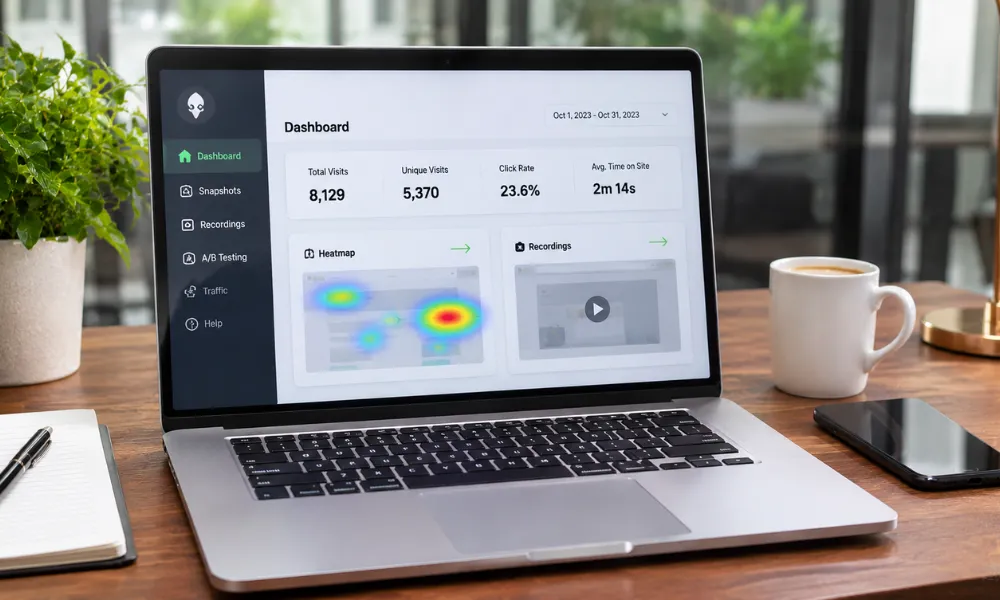
Crazy Egg is designed to help businesses understand how visitors interact with website pages. Its visual reports make it easier to identify which elements attract clicks and whether important content receives enough attention.
Startups can use Crazy Egg to evaluate landing pages, product pages, pricing sections, and calls to action. Its heatmaps provide a visual overview of visitor activity, while session recordings offer more detailed information about individual browsing sessions.
The platform also includes surveys, conversion tracking, and A/B testing features on eligible plans. These capabilities can help growing businesses test changes and measure whether their website improvements are effective.
Key Features:
- Click and scroll heatmaps
- Confetti reports
- Session recordings
- Conversion tracking and funnel reports
- Website surveys
- A/B testing on eligible plans
Pricing: Paid plans start at $29 per month when billed annually, with a 30-day free trial advertised on its pricing page.
Best For: Startups that want straightforward heatmap reports and website conversion optimization features.
4. Mouseflow – Best for Finding Website Conversion Problems

Mouseflow is a behavior analytics platform that helps businesses understand where visitors experience difficulties. It combines heatmaps, session recordings, conversion funnels, and form analytics to provide a clearer picture of website performance.
For startups, this can be especially useful when visitors reach a signup form or checkout page but fail to complete the process.
Mouseflow’s session recordings show how people navigate a website, while its heatmaps reveal areas receiving the most interaction. Friction detection can also help teams identify potential usability problems.
The platform offers different heatmap types, including click, scroll, geographic, attention, and movement heatmaps, although availability depends on the selected plan.
Key Features:
- Click and scroll heatmaps
- Session recordings
- Conversion funnel analysis
- Form analytics
- Friction detection
- Geographic and attention heatmaps on eligible plans
Pricing: A free plan includes 500 sessions per month. Paid plans start at $25 per month when billed annually.
Best For: Startups that want to investigate signup problems, form abandonment, and conversion bottlenecks.
5. PostHog – Best for SaaS and Technology Startups
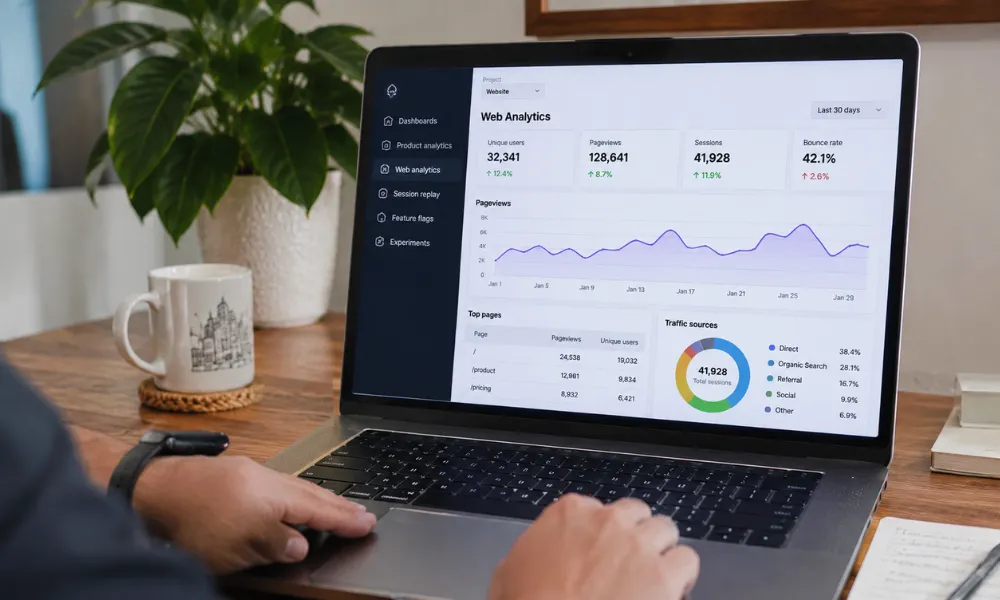
PostHog is a product analytics platform designed for teams that want to understand how people use their websites and applications. It combines several tools, including product analytics, session replay, feature flags, experimentation, and heatmaps.
This makes it particularly useful for SaaS businesses and technology startups that need to understand more than basic website clicks.
PostHog heatmaps help teams see how visitors interact with selected pages. Its session recordings provide additional context, while product analytics can help teams examine user journeys, engagement, and retention.
The platform also provides a generous free usage allowance, making it accessible to startups that want to begin analyzing product behavior without committing to a large software budget. Teams can also explore the best budget portable monitors to create more flexible and affordable work setups.
Key Features:
- Click and scroll heatmaps
- Session recordings
- Product and web analytics
- Funnel analysis
- Feature flags and experiments
- Developer-friendly integrations
Pricing: A free tier includes 1 million analytics events and 5,000 session recordings per month. Heatmap collection on the free plan is limited to three selected pages.
Best For: SaaS startups, software developers, and product teams that want heatmaps alongside broader product analytics.
Heatmap Tools Comparison for Startups
Choosing between different platforms becomes easier when you compare their main features, free options, and intended users.
| Tool | Best For | Free Option | Main Strength |
|---|---|---|---|
| Microsoft Clarity | Budget-conscious startups | Free forever | Unlimited heatmaps and recordings |
| Contentsquare | User experience analytics | Yes | Heatmaps, replays, and surveys |
| Crazy Egg | Website optimization | 30-day trial | Heatmaps and A/B testing |
| Mouseflow | Conversion troubleshooting | 500 sessions/month | Friction and form analytics |
| PostHog | SaaS product analytics | Yes | Product analytics and session replay |
Pricing and free-plan limits can change. Check each provider’s current pricing page before subscribing.
Why Do Startups Need Heatmap Tools?
Startups often have limited budgets, small teams, and little room for expensive marketing mistakes. Heatmap tools provide visual information about how people interact with a website, helping businesses make more informed improvements.
Just as choosing the right tools can improve productivity, exploring options like these best co-op PC games for beginners can help users find enjoyable ways to collaborate and work together.
Here are some important benefits.
1. Understand Visitor Behavior
Website analytics can tell you how many people visit a page, but heatmaps provide a visual look at where visitors click and how far they scroll.
This helps startups understand which page elements attract attention and which ones may be overlooked.
2. Improve Landing Page Performance
A landing page needs to communicate its value quickly. If visitors ignore the main call-to-action button or leave before reaching important information, the page may need improvement.
Heatmaps can help identify these patterns so teams can review their page layout and content.
3. Identify User Experience Problems
Confusing navigation, difficult forms, and poorly positioned buttons can create friction.
By combining heatmaps with session recordings, startups can investigate where visitors struggle and make targeted changes.
4. Make Better Product Decisions
Product teams can use behavior insights to understand how people interact with important features. This information can support decisions about onboarding, navigation, and product improvements.
5. Support Conversion Optimization
Heatmaps help businesses identify opportunities to improve important website journeys, such as newsletter subscriptions, account registrations, and purchases.
However, heatmaps do not prove why a visitor behaved a certain way. Startups should combine them with analytics, user feedback, and controlled experiments before making major decisions.
How to Choose the Best Heatmap Tool for Your Startup
Not every startup needs an advanced analytics platform. The right choice depends on your business model, traffic, team size, and goals.
Consider these factors before selecting a tool:
- Budget: If you are just starting, Microsoft Clarity provides a useful free starting point.
- Website traffic: Compare monthly session or pageview limits with your actual traffic.
- Required features: Decide whether you need basic click maps, session recordings, surveys, or form analytics.
- Ease of use: Choose a platform your team can install and understand without spending too much time on setup.
- Integration: Check whether the tool works with your existing website platform and analytics services.
- Privacy: Review data collection, consent requirements, and options for masking sensitive visitor information.
Frequently Asked Questions
1. What are the best heatmap tools for startups?
Some useful options include Microsoft Clarity, Contentsquare, Crazy Egg, Mouseflow, and PostHog. Each offers different features for understanding visitor behavior and improving website performance.
2. What is the best free heatmap tool for startups?
Microsoft Clarity is one of the strongest free options. It offers heatmaps, session recordings, and visitor behavior insights without charging a subscription fee.
3. How do heatmap tools help startups?
Heatmap tools show where visitors click, how far they scroll, and which website elements receive attention. Startups can use these insights to improve page layouts, navigation, and conversion journeys.
4. Are heatmap tools difficult to install?
Most heatmap tools offer a JavaScript tracking snippet or integrations that make installation relatively straightforward. Some platforms also provide plugins or developer tools for popular website systems.
5. Do heatmap tools affect website privacy?
They can collect information about visitor interactions, so startups should configure privacy settings carefully. Use appropriate consent notices, mask sensitive form fields, and review applicable privacy laws before enabling session recording.
Conclusion
Heatmap tools can help startups understand website visitors, identify usability problems, and improve important customer journeys. They provide visual insights that traditional traffic reports may not reveal on their own.
Microsoft Clarity is a strong choice for startups looking for free website behavior analytics. Contentsquare is useful for broader experience analysis, while Crazy Egg and Mouseflow offer practical website optimization features. PostHog is particularly suitable for SaaS and technology teams that want heatmaps alongside product analytics.
Before choosing a platform, consider your budget, traffic volume, and the problems you want to solve. Starting with a free tool and upgrading when your needs grow can be a practical way to build a data-driven optimization process.





