What actually separates one Bitcoin ASIC miner from another once you strip away the marketing? On paper, almost every machine looks like a winner: a big hashrate number, a wall of watts, and a promise of profitability. In practice, the gap between a good purchase and an expensive space heater comes down to a handful of measurable factors, and most of them have nothing to do with the headline spec.
This comparison walks through how miners are actually evaluated, where the numbers mislead, and what to check before spending money on hardware that will run 24 hours a day for years.
The Metric That Matters Most: Joules per Terahash
Every Bitcoin ASIC does one job: it runs SHA-256d, the double-hash function described in the original 2008 Bitcoin whitepaper, as fast as possible while burning as little electricity as possible. That trade-off has a name: efficiency, measured in joules per terahash (J/TH). Lower is better. A miner at 20 J/TH needs half the electricity of a 40 J/TH machine to produce the same hash rate.
Efficiency is the single best predictor of how long a miner stays economically viable. Here is why. Bitcoin’s difficulty adjusts roughly every 2,016 blocks, about every two weeks, to keep block times near ten minutes. As more hash rate joins the network, difficulty climbs, and the same machine earns fewer bitcoin for the same electricity. Older, less efficient hardware gets squeezed out first. A miner that is marginal today becomes unprofitable the moment difficulty rises or the price dips.
That is the core comparison logic: a cheap, inefficient miner is often more expensive over its life than a pricier, efficient one. Buyers who compare only purchase price and advertised hash rate routinely get this backwards.
Hashrate Units, Decoded
Hash rate is quoted in TH/s (terahashes per second), PH/s (petahashes, 1,000 TH/s), and EH/s (exahashes, 1,000 PH/s). Network hash rate is usually discussed in EH/s; individual miners in TH/s. A machine rated at 200 TH/s is a mid-range unit by current standards. A machine at 400 TH/s or more sits in the high end. Neither number means anything without its wattage attached.
Reading a Spec Sheet Without Getting Fooled
Vendor spec sheets follow a predictable pattern, and knowing the pattern saves money.
| Spec | What it usually means | What to check |
|---|---|---|
| Hash rate (TH/s) | Best-case output at nominal voltage | Whether it is a typical or a “boost” figure |
| Power (W) | Wall draw at the rated hash rate | Whether it includes PSU losses |
| Efficiency (J/TH) | Power divided by hash rate | Whether it is measured at the wall or at the board |
| Noise (dB) | Sound pressure at some distance | The distance, which is often unstated |
| Cooling | Air or hydro | Whether you have the infrastructure |
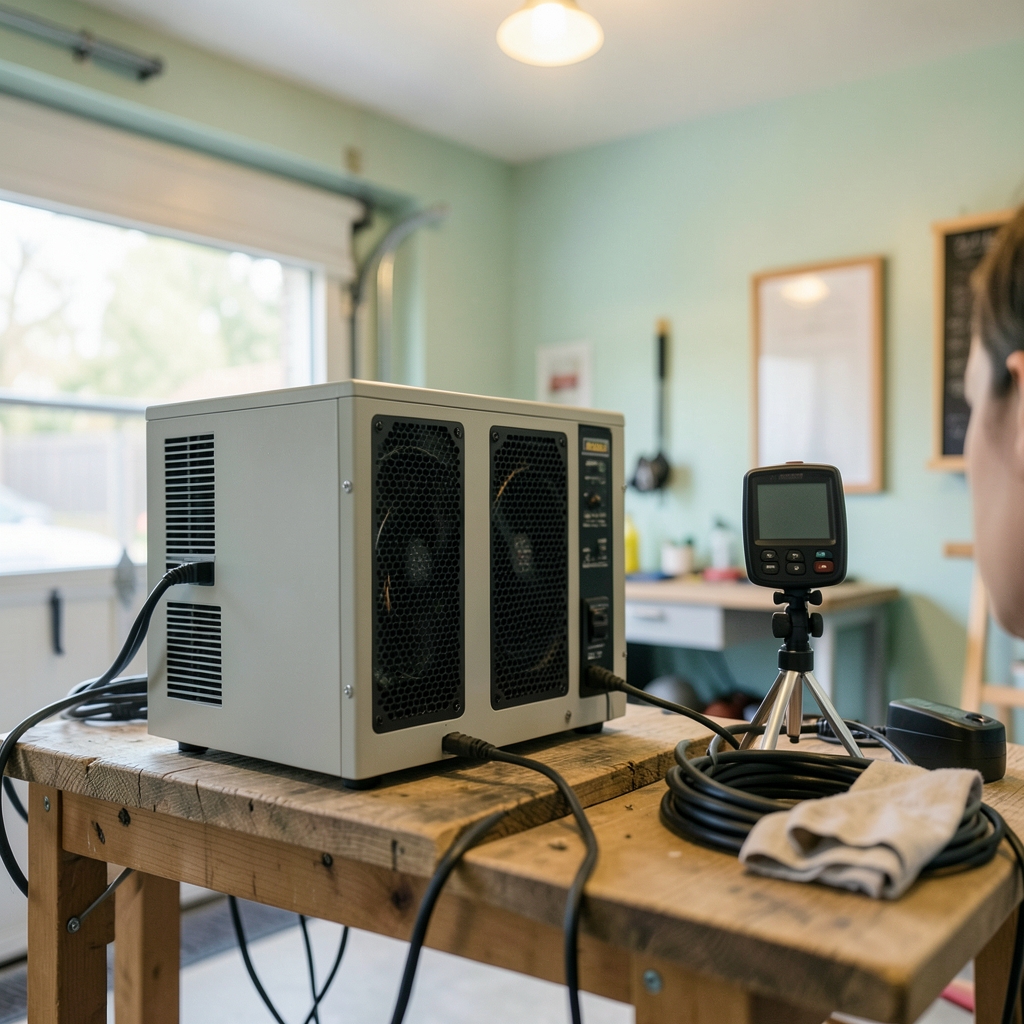
Three traps show up again and again. First, efficiency figures are frequently board-level, not wall-level. A power supply can lose 5 to 10 percent of the electricity it draws, so a miner rated at 20 J/TH may draw closer to 22 J/TH from the socket. Second, hash rate is often quoted at a “low power” or “high performance” mode that the vendor chooses; the same machine can appear with two different efficiency numbers depending on which mode is highlighted. Third, noise ratings are almost meaningless without a distance and a weighting. A unit advertised at 75 dB might be measured at one meter in an open room, which tells you little about how it will sound in a garage.
The practical fix is simple: divide the wall power by the hash rate yourself, and treat any vendor number as an optimistic ceiling until an independent test confirms it.
Air-Cooled vs. Hydro-Cooled Machines
The biggest structural split in the market is cooling. Air-cooled miners dominate home and small-farm use. They are simple, cheap to install, and easy to resell. Their weakness is heat density: past a certain point, fans cannot move enough air, and the machines run hot and loud. Hydro-cooled units push coolant through cold plates, run quieter, and tolerate far higher ambient temperatures, but they require pumps, radiators, plumbing, and a real maintenance routine. A leak is not a minor inconvenience.
For a single unit in a basement, air cooling is the only sensible choice. For a rack of machines in a dedicated space, hydro starts to make sense once heat removal becomes the bottleneck. The comparison is less about which is better and more about which matches the building.
The Immersion Question
Immersion cooling, where hardware sits in a tank of dielectric fluid, sits between the two. It quiets the machine, extends its life by keeping temperatures stable, and allows overclocking. It also adds cost, complexity, and a fluid-handling learning curve. The honest verdict from people who run it: immersion is excellent for a farm of dozens of units and overkill for one.
Profitability Is a Moving Target
Mining revenue depends on four variables that all move: network difficulty, block subsidy, transaction fees, and the price of bitcoin. The subsidy halves every 210,000 blocks; the 2024 halving cut it to 3.125 BTC per block. Each halving roughly halves the revenue per unit of hash rate overnight, which is why the efficiency of your hardware matters more after a halving than before one.
A useful habit is to model three scenarios rather than one: a base case, a difficulty-increase case, and a price-decline case. If the machine only works in the base case, it does not work. Anyone who has run the numbers on subscription software knows the same discipline applies to hardware: the vendor’s headline number is a starting point, not an answer. The same logic behind comparing CRM tools by which features actually matter applies here. Strip out the features you will never use, and judge the rest on measurable cost per unit of output.
Firmware and Overclocking
Most modern miners ship with vendor firmware that can be replaced by third-party alternatives offering adjustable frequency and voltage curves. Tuning can improve efficiency by several percent or boost hash rate at the cost of heat and fan noise. It is a genuine lever, but a modest one. Firmware cannot rescue a machine that is fundamentally inefficient, and aggressive overclocking shortens hardware life. Treat tuning as fine adjustment, not a strategy.
What Actually Breaks, and What It Costs
The failure points on an ASIC are predictable: fans (the most common failure by far), power supplies, hash boards, and thermal paste that dries out over years of heat cycling. Fans and PSUs are cheap and easy to replace. Hash boards are not, and a failed board can turn a profitable machine into scrap.
That reality shapes the used-market comparison. A secondhand miner with unknown hours is a gamble, and the discount rarely compensates for the risk unless you can test it. Practical checks before buying used: ask for the running temperature logs, verify the hash rate under load, inspect the fans for bearing noise, and confirm the PSU model. A machine that has run in a hot, dusty environment for three years is worth far less than one that ran in a clean, cool room, even if the spec sheet is identical.
Where the Machine Lives Changes the Math
Electricity price is the dominant cost, and it varies enormously. A miner running at 3,000 watts for 24 hours consumes 72 kWh per day. At 10 cents per kWh that is $7.20 daily; at 25 cents it is $18. The same hardware is a business in one place and a hobby in another. This is why serious operators chase cheap power, and why home miners should check their actual marginal rate, including time-of-use tiers, before buying anything.
Noise is the second constraint, and it is underrated. A single air-cooled unit can hit 75 dB or more, roughly the level of a vacuum cleaner running continuously. That is a problem in an apartment and a non-issue in a detached shed. Heat is the third: every watt consumed becomes heat in the room, which is welcome in winter and miserable in summer. Some operators route exhaust into the house during cold months, which is a genuinely clever use of the byproduct.
A Practical Comparison Framework
Before buying, run through this sequence in order. It filters out most bad decisions quickly.
- Calculate your real electricity cost per kWh, all-in, including tiers and fees.
- Divide wall power by hash rate to get true efficiency, ignoring the vendor’s J/TH claim.
- Model revenue at current difficulty and at 30 percent higher difficulty.
- Check the noise level against where the machine will actually sit.
- Confirm the cooling and electrical infrastructure can handle continuous load.
- Price replacement parts (fans, PSU) so you know your maintenance budget.
- Compare total cost of ownership over two years, not sticker price.
Step seven is where most comparisons are won or lost. A machine that costs 20 percent more but runs 15 percent more efficiently often pays back the difference within a year, and keeps paying it afterward. The reverse is also true: a bargain miner with poor efficiency can cost more in electricity than its purchase price within months.
This is the same trap that catches buyers in other hardware-heavy categories. People evaluating AI coding tools before committing or AI music tools tend to over-weight the demo and under-weight the ongoing cost of ownership. Mining hardware is unusually unforgiving on that front because the ongoing cost is electricity, billed every month, forever.
Common Mistakes Worth Avoiding
The most expensive error is buying on hash rate alone. The second is ignoring noise until the machine is running in a room where nobody can sleep. The third is underestimating electrical work: a dedicated circuit, proper gauge wiring, and a breaker sized for continuous load are not optional. The fourth is buying used hardware without testing it under load. The fifth, and most subtle, is assuming today’s difficulty and price will hold. They will not.
A quieter mistake is over-diversifying into too many small, inefficient units instead of one good one. Five old miners at 40 J/TH consume more power and produce more heat and noise than a single modern unit at half the efficiency, with five times the failure points.
Conclusion
Comparing Bitcoin ASIC miners is really an exercise in comparing total cost of ownership under uncertainty. The headline hash rate is the least interesting number on the box. Efficiency in J/TH, measured at the wall, tells you how the machine will fare as difficulty climbs. Cooling and noise tell you whether it can live where you plan to put it. Electricity price tells you whether the whole exercise makes sense at all.
Get those four things right, model a pessimistic case, and budget for fans and power supplies, and the hardware decision becomes far less mysterious. Get them wrong, and the most impressive-looking miner on the market becomes a very loud, very warm reminder that spec sheets are marketing documents, not engineering ones.
FAQ
What is a good efficiency for a Bitcoin ASIC miner?
Lower is better, and the bar keeps moving. Machines in the roughly 15 to 25 J/TH range are considered efficient by current standards, while older units at 30 J/TH and above struggle as difficulty rises. Always verify the figure at the wall rather than trusting the board-level number on the spec sheet.
How much electricity does a Bitcoin ASIC miner use?
A typical modern unit draws somewhere between 1,500 and 3,500 watts continuously. At 3,000 watts, that is 72 kWh per day, or roughly 2,190 kWh per month. Multiply by your marginal electricity rate to get the monthly cost, and remember that every one of those watts becomes heat in the room.
Are hydro-cooled miners better than air-cooled ones?
They are different tools. Hydro units run quieter and handle heat better, but they need pumps, radiators, and plumbing maintenance. Air-cooled units are simpler, cheaper, and easier to resell. For one or two machines, air cooling almost always wins on total cost and hassle.
Can I run a Bitcoin ASIC miner at home?
Yes, but three constraints decide whether it is practical: electricity cost, noise, and heat. A single air-cooled unit can be as loud as a vacuum cleaner running nonstop and will noticeably warm the room. A dedicated circuit and adequate ventilation are minimum requirements, not upgrades.
How often does Bitcoin mining difficulty change?
Roughly every two weeks, or every 2,016 blocks. The protocol retargets difficulty to keep block times near ten minutes. For miners, this means revenue per unit of hash rate drifts downward over time as more hardware joins the network, which is why efficiency matters more than raw hash rate.
Is it worth buying used mining hardware?
Only with testing. Used miners can be excellent value, but fans, power supplies, and hash boards wear out, and a failed board can make the unit worthless. Ask for temperature logs, verify the hash rate under load, listen for bearing noise, and confirm the PSU model before paying.






