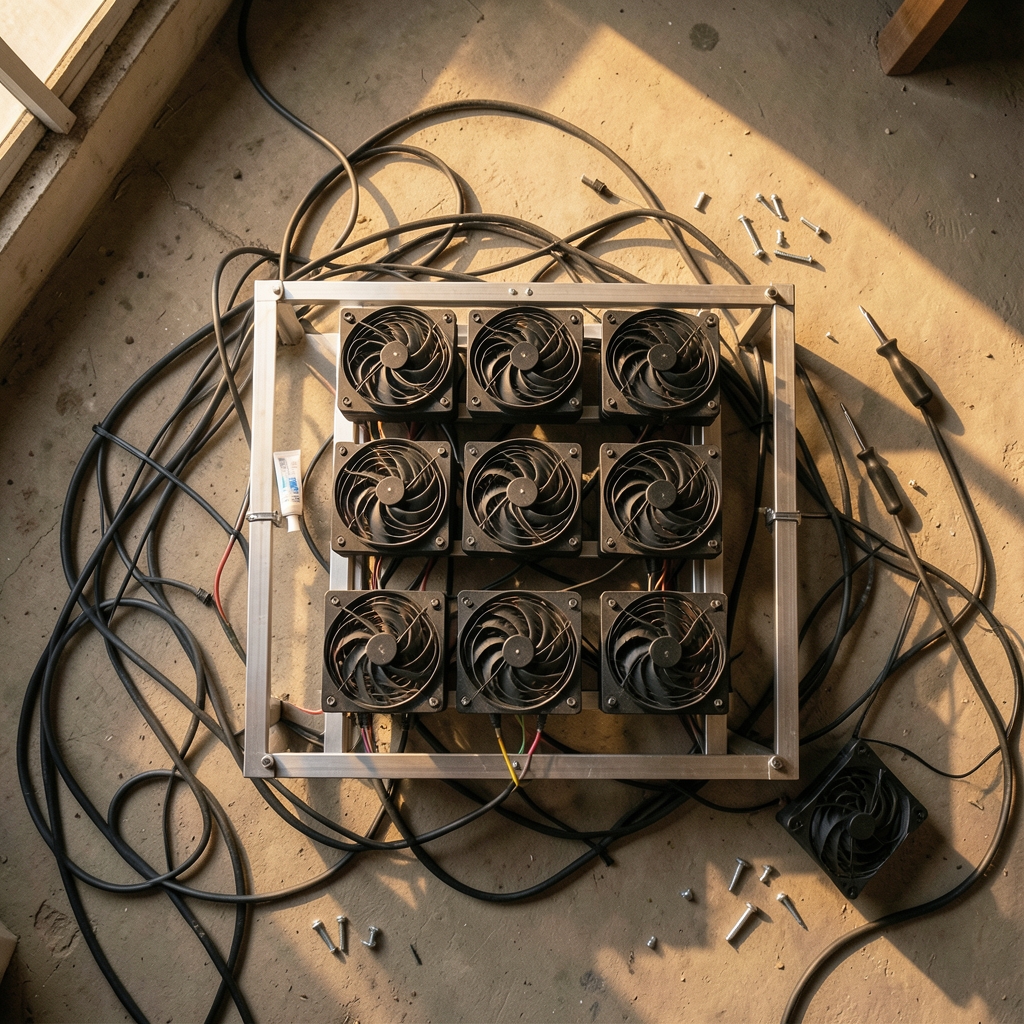
Quick Answer: How much do mining rig cooling fans cost?
Most mining rig cooling fans cost between $5 and $40 each, depending on size, bearing type, and static pressure. Budget 120 mm case fans sit at the low end, while premium high-static-pressure models climb toward the top of that band. Industrial and server-style axial fans are sold through distributors at quote-based prices that often fall below retail in bulk.
The gap matters because mining fans run 24/7 in dusty rooms, so the cheapest sticker price is rarely the cheapest ownership cost. Before buying, compare bearing type, airflow and static pressure ratings, noise level at your target RPM, warranty length, and shipping cost per unit.
Why Fan Prices Are Harder to Pin Down Than They Look
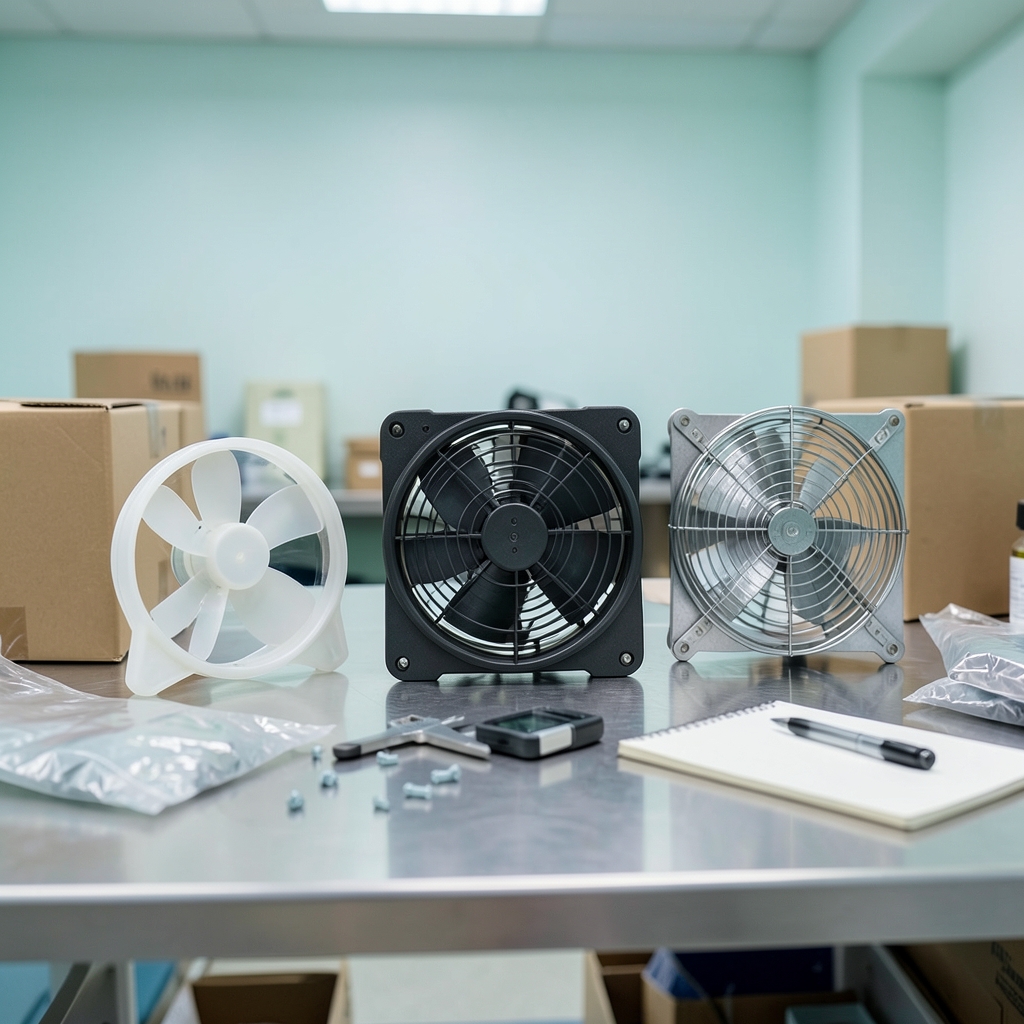
Ever watched a mining rig’s temperature climb while the fans scream at full speed and wondered whether better fans would actually pay for themselves? That question usually leads straight to price, and price turns out to be a slippery thing in this niche.
Here is the awkward truth: there is no authoritative public price survey for mining-specific cooling fans. What exists is a set of retail ranges for consumer PC fans, a separate quote-based market for industrial axial fans, and a lot of folklore in mining forums. Mixing those three sources produces nonsense numbers. A $6 sleeve-bearing case fan and a $35 fluid-dynamic-pressure fan are not the same product wearing different price tags, and an industrial 120 mm high-RPM unit bought by the pallet does not belong in the same comparison at all.
This guide separates those markets, explains what actually drives the price up or down, and shows where the hidden costs live. Treat every figure as an estimate, because regional pricing and currency swings move the numbers constantly.
The Real Price Bands for Mining Rig Fans
Retail fans for mining rigs cluster into a few recognizable tiers. The ranges below reflect general consumer market pricing rather than a single dated survey, so use them as a planning guide and verify against live listings before you commit.
| Fan tier | Typical size | Estimated price each | Best for |
|---|---|---|---|
| Basic sleeve-bearing case fan | 120 mm / 140 mm | $5–10 | Small hobby rigs, short-term builds |
| Mid-range ball-bearing fan | 120 mm / 140 mm | $10–20 | Steady 24/7 rigs on a budget |
| Premium high-static-pressure fan | 120 mm / 140 mm | $25–40 | Dense frames, radiators, restricted airflow |
| Industrial/server axial fan | 120 mm high-RPM | Quote-based, volume dependent | Large GPU and ASIC farms |
The pattern is simple: as you move down the table, you pay more per unit but usually get longer life, better bearings, and more consistent performance under back pressure. The premium tier exists for a reason. Fans designed for radiators and dense heatsinks carry tighter blade tolerances and better bearings, which is exactly why they cost more than airflow-optimized case fans.
Industrial fans sit in a different universe. Server-style and industrial axial fans are sold through distributors rather than consumer retail, and pricing is quote-based and varies by volume. For a large farm, per-unit costs often land well below retail, but nobody publishes a public price list, so any specific figure you read online is a guess.
What Actually Drives the Price Up
Static pressure versus airflow
A fan’s job on a mining rig is to push air through a crowded frame, past cards, risers, and cables. That is a resistance problem, not just a volume problem. High-static-pressure fans are built to force air through dense obstructions, and they cost more because of tighter manufacturing tolerances and stronger motors. If your rig is open-air with nothing blocking the fans, a cheaper airflow-optimized model may do the job. If your cards are packed tight or you are pushing air through a filter or radiator, the premium is usually worth paying.
Bearing type and lifespan
This is the single most underrated price factor. Sleeve bearings are the cheapest option and the shortest-lived. Ball bearings and fluid-dynamic bearings cost more but last considerably longer, which matters enormously when a fan spins continuously for years. A $7 fan that dies in 14 months is more expensive than a $22 fan that runs for five years, and the cheap one takes your rig offline when it fails.
RPM, noise, and fan curves
Higher-RPM fans move more air, but they are louder and wear faster. Many miners under-volt their fans or set custom fan curves to balance noise against temperature, which changes which price tier makes sense. If you plan to run fans at 60 percent most of the time, paying extra for a high-RPM monster is wasted money. Pay instead for bearing quality and a good warranty.
Region, currency, and shipping
A US retail price is not a reliable guide to EU or Asian pricing. Import duties, local taxes, and shipping weight all shift the final cost. Fans are bulky relative to their value, so shipping can add a meaningful percentage to small orders. Buying in slightly larger quantities often beats chasing the lowest per-unit price from a distant seller.
The Hidden Cost Nobody Budgets For
Replacement frequency is where mining fan economics get interesting. Fans running continuously in dusty environments may need replacement every one to three years. That is a rule of thumb rather than measured data, but it aligns with what most long-term operators report.
Run the math on a 12-fan rig:
- Cheap fans at $7 each, replaced every 18 months: roughly $56 per year in replacements
- Better fans at $20 each, replaced every four years: roughly $60 per year
The annual cost lands in a similar place, but the failure risk does not. Cheap fans fail unpredictably, sometimes mid-shift, and a dead fan on a hot day can cook a card. The real premium you pay for better fans is insurance against downtime, not just longer service life.
Dust is the accelerant here. A rig in a clean, filtered room will stretch fan life well beyond the low end of that range. A rig in a garage with a concrete floor will chew through fans regardless of price. Cleaning filters and keeping intake areas clear is the cheapest cooling upgrade available.
Consumer Fans vs. Industrial Fans: Don’t Compare Apples to Oranges
This is the mistake that skews most online cost discussions. Someone reads that a data center buys 120 mm fans for a few dollars each and concludes retail fans are a rip-off. That comparison collapses under scrutiny.
Consumer fans come with retail packaging, warranties, and consumer support. Industrial fans come in bulk, often without the same consumer protections, and are specified for different operating conditions. The price difference reflects distribution and volume, not quality alone. For a hobbyist running one or two rigs, consumer retail is the right channel. For a farm running dozens of rigs, distributor relationships and volume quotes are the right channel. Comparing the two per-unit prices tells you almost nothing useful.
The same logic applies to buying tools for the operation around your rigs. If you are running a lean mining business, the same budget discipline that applies to fans applies to your software stack, and there are solid low-cost options worth reviewing, such as these free and low-cost technical SEO tools that actually work if you also run a site alongside your operation. (Best low cost ai avatar tools you get it costs)
Practical Tips That Actually Save Money
Match the fan to the obstruction. Open frame, low restriction: airflow-optimized fan. Dense frame or filtered intake: high static pressure. Buying premium pressure fans for an open frame is a common waste.
Buy one spare per rig. A failed fan at 2 a.m. is a crisis. A spare on the shelf is a five-minute swap. The spare costs less than the downtime.
Standardize your fan model. Mixing brands and specs makes troubleshooting miserable and prevents bulk discounts. Pick one model per rig type and stick with it.
Check the warranty before the price. A fan with a five-year warranty at $25 often beats a $10 fan with a 90-day warranty, especially on 24/7 duty.
Watch the connector and voltage. Mining rigs often run fans off motherboard headers, splitters, or dedicated controllers. Confirm the connector type and voltage before ordering a batch, or you will be buying adapters that eat your savings.
Clean before you replace. A fan that seems dead is sometimes just clogged. Compressed air and a soft brush revive more fans than people admit.
Where Fan Costs Fit in the Bigger Rig Budget
Fans are a small slice of total rig cost, but they punch above their weight in reliability. A typical multi-card rig might use six to twelve fans, putting total cooling spend somewhere between $60 and $400 depending on tier. Set against the cost of the cards themselves, that is modest. Set against the cost of a single cooked GPU, it is trivial.
That framing should guide purchasing. The question is not “what is the cheapest fan?” but “what is the cheapest fan that will not cost me a card?” For most operators, the answer sits in the mid-range: ball or fluid-dynamic bearings, decent static pressure, a real warranty, and a price somewhere between $12 and $25.
If you are also building out the business side of a mining operation, the same lean-budget thinking applies elsewhere. Teams running sales or outreach alongside their mining work often find that affordable tooling goes further than expected, and roundups like these low-cost sales engagement tools for lean teams show how far a small budget stretches. The principle is identical: pay for reliability, not for the cheapest sticker.
Conclusion
Mining rig cooling fans cost roughly $5 to $40 each at retail, with the sweet spot for 24/7 operation landing between $12 and $25. Industrial and server fans follow a separate, quote-based pricing model that only makes sense at volume. The number on the price tag is the least interesting part of the decision. Bearing quality, static pressure, warranty length, and replacement frequency determine what you actually spend over a rig’s life.
Buy for the environment your rig actually runs in, keep a spare on hand, standardize your model, and clean before you replace. Do those four things and fan costs become a predictable line item instead of a recurring surprise.
Frequently Asked Questions
Are cheap mining rig fans a false economy?
Often, yes. Sleeve-bearing fans at the bottom of the price range have the shortest lifespan, and a failure during a hot stretch can damage hardware worth far more than the savings. The mid-range is usually the better value for continuous duty.
How many fans does a typical mining rig need?
Most multi-card rigs use six to twelve 120 mm or 140 mm fans, depending on frame design and card density. Open frames need fewer; enclosed or filtered setups need more to maintain airflow through restriction.
Do high-static-pressure fans really cost more, and are they worth it?
They do cost more, typically landing in the premium tier because of tighter blade tolerances and better bearings. They are worth it when air must pass through dense heatsinks, filters, or tightly packed frames. On an open frame with no obstruction, a standard airflow fan is usually sufficient.
How often should mining rig fans be replaced?
A common rule of thumb is every one to three years for fans running continuously in dusty conditions, though this is an estimate rather than measured data. Clean environments and regular dust removal push replacement intervals considerably longer.
Is it cheaper to buy fans in bulk?
For large farms, yes. Distributors quote per-unit prices well below retail at volume, though exact figures are not publicly listed and vary by order size and region. Small operators rarely reach the volumes needed to unlock meaningful discounts.
Do fan curves and under-volting change what I should buy?
They can. If you plan to run fans below full speed most of the time, prioritize bearing quality and warranty over maximum RPM. Paying for high-RPM capability you never use is money spent on noise and wear instead of longevity.


