
What if the biggest mistake in buying a budget 3D printer isn’t picking the wrong model, but not knowing what to check before the box arrives? Most people who regret a cheap printer don’t regret the price. They regret the missing feature they didn’t know to look for, the part they can’t replace, or the fumes they didn’t plan for. That’s fixable with a short checklist.
This guide skips the hype and focuses on the durable stuff: what separates a good cheap printer from a frustrating one, where corners get cut, and how to compare machines without getting lost in spec sheets. Model names and prices shift constantly, so treat this as a buying framework you can apply to whatever is on the shelf right now.
Why the Cheapest Printer Is Rarely the Best Value
A low sticker price hides three costs that show up later: filament wasted on failed prints, replacement parts, and time spent troubleshooting instead of printing.
The math is simple. A printer that fails one in three prints effectively costs 50% more per successful object than its price suggests. A machine with a slightly higher price but reliable auto bed leveling and a well-supported hotend often wins on cost per finished part within a month.
There’s a second trap: proprietary parts. Some budget machines use hotends, fans, or mainboards you can only buy from the manufacturer, at whatever price they set. Others use standard components available from multiple suppliers. Before buying, check whether the nozzle, hotend, and bed surface are generic or vendor-locked. That single question predicts long-term repair costs better than almost anything else in the listing.
The Features That Separate a Good Budget Printer From a Bad One
Bed size and format
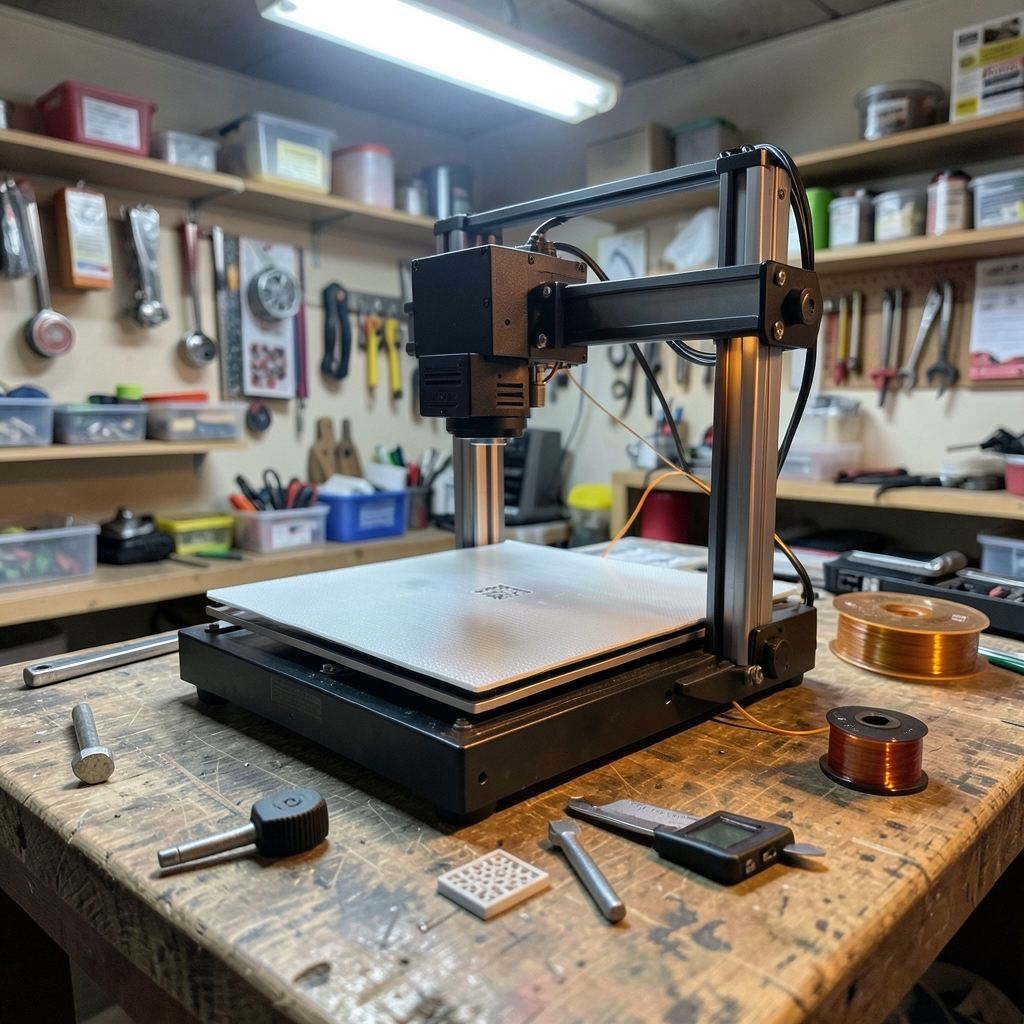
Most budget machines cluster around two bed classes: full-size beds in the roughly 220 × 220 mm range, and compact beds around 150–180 mm. Bigger beds cost more and take longer to heat. If most of what you print fits in a 150 mm cube, a compact machine is often the better buy because it heats faster, warps less, and takes less space. Verify the actual build volume on the manufacturer’s spec page rather than a marketplace listing, which is frequently wrong. (Best low cost ai diagram tools budget conscious teams)
Auto bed leveling
Manual leveling is the number one source of beginner frustration. A probe or strain-gauge system that maps the bed automatically removes most of that pain. It is not magic, though: it compensates for a warped or tilted bed, but it doesn’t fix a loose gantry or a dirty surface. Look for a machine that levels automatically and still lets you adjust the Z offset manually.
Enclosure and materials
Open-frame printers handle PLA and PETG well. ABS and ASA shrink as they cool and need still, warm air, so they warp badly on open frames. If those materials matter, budget for an enclosure or choose a machine that ships with one. Enclosures also matter for safety around children and pets, since the hotend and bed reach temperatures that cause instant burns.
Firmware openness
Printers running Marlin or Klipper benefit from huge community documentation, config sharing, and long-term updates. Vendor-locked firmware can be fine, but if the company disappears, so does support. Open firmware is a form of insurance.
Electrical safety
This is the most overlooked item on budget machines. Check for CE or UKCA marking and, ideally, a recognized safety listing on the power supply. A cheap printer with an uncertified PSU is a fire risk sitting on a desk. It’s worth paying a little more for a machine whose electronics have been independently tested.
Emissions and ventilation
FDM printing releases ultrafine particles and volatile organic compounds, with ABS and other styrenic plastics emitting more than PLA. Public-health and occupational-safety guidance consistently recommends printing in a ventilated space and avoiding long sessions in small, unventilated rooms. No budget printer changes that physics, so plan your workspace accordingly.
How to Compare Budget Printers Without Getting Lost
Use a simple scoring table. Fill it in from official spec pages and independent reviews, not marketplace copy.
| What to check | Why it matters | Red flag |
|---|---|---|
| Build volume | Fits your actual projects | Listing contradicts manufacturer spec |
| Bed leveling | Fewer failed first layers | Manual-only on a large bed |
| Frame rigidity | Print quality at speed | Thin, flexing gantry |
| Hotend type | Cheap, available replacements | Vendor-locked proprietary part |
| Firmware | Updates and community support | No source, no docs |
| Power supply safety | Fire risk | No certification marking |
| Noise level | Where you’ll actually use it | No published figure |
| Community size | Help when things break | Almost no users or forum threads |
The community-size row deserves emphasis. A printer with an active user base gives you free troubleshooting: someone has already solved your problem and posted the fix. A printer with no community means every issue is yours alone.
Where Budget Printers Cut Corners (and Which Cuts Matter)
Not every cost reduction is a problem. Some are smart engineering. Others are false economies.
Usually fine: plastic instead of metal frame brackets, a single rather than dual Z screw on a small bed, a basic LCD instead of a touchscreen, and a textured PEI-style sheet instead of glass. These rarely affect print quality much.
Sometimes fine: a slower mainboard, a smaller nozzle diameter, and no filament runout sensor. These limit convenience, not capability.
Rarely fine: an uncertified power supply, a hotend with no thermal runaway protection, a bed that ships badly warped with no way to compensate, and firmware that can’t be updated. These are the cuts that cost money, time, or safety.
The practical rule: accept cosmetic and convenience cuts, refuse safety and repairability cuts.
Setting Up a Budget Printer So It Actually Works
Most “bad printer” stories are setup stories. A short, disciplined routine fixes the majority of them.
- Assemble on a flat, stable surface and check that the frame is square before tightening anything. A twisted frame produces a bed that can never be leveled properly.
- Check every eccentric nut and belt tension. Loose carriages wobble; over-tight belts wear bearings. Aim for snug, not rigid.
- Clean the bed surface with warm water and dish soap, then isopropyl alcohol. Finger oils are the most common cause of adhesion failure, and no amount of glue stick fixes a greasy sheet.
- Level, then set the Z offset with a first-layer test print, adjusting live. Paper is a starting point, not a measurement.
- Print a temperature tower and a retraction test for each new filament brand. Settings that work for one spool often fail for another.
- Store filament dry. Moisture causes popping, stringing, and weak parts, and it’s the most misdiagnosed problem in budget printing.
If you’re building a small studio on a tight budget, the same discipline applies to the software side. Cheap, reliable tools for verifying contact lists, generating diagrams, or managing research notes can free up cash for hardware, and guides like this roundup of best low cost email verification tools actually works budget show how far a small software budget stretches. The principle is identical: pay for reliability, not for features you’ll never use. (Best low cost ai coding tools budget conscious developers)
Total Cost of Ownership: The Number Nobody Calculates
A printer’s price is roughly half its first-year cost. The rest comes from consumables and spares.
| Cost item | Typical pattern | How to control it |
|---|---|---|
| Filament | Largest recurring cost | Buy standard 1.75 mm spools from multiple brands |
| Nozzles | Wear out, especially with abrasive filament | Use generic, widely available nozzles |
| Bed surface | Wears with heavy use | Choose replaceable, generic sheets |
| PTFE tube and fittings | Cheap but frequent | Standard sizes, easy to source |
| Failed prints | The hidden cost | Fix first-layer and moisture issues early |
| Electricity | Modest for PLA | Preheat only when printing |
Two habits cut this dramatically. First, dry your filament: a cheap dryer pays for itself in saved spools. Second, keep a small spares kit (nozzles, a PTFE tube, a thermistor, a heater cartridge) so a two-dollar part doesn’t sideline the machine for a week.
What to Skip on a Budget Machine
Some upgrades are worth it; others are money pits on a cheap frame.
Worth it: a PEI build sheet, a filament dryer, a spare hotend, and a printed or purchased enclosure if you print ABS or ASA.
Skip it: high-flow hotends on a machine with a flexible frame, linear rail conversions on a printer that prints fine, and any upgrade that costs more than a third of the printer’s price. At that point, you’re better off saving for a better base machine.
Should You Buy New, Refurbished, or Used?
Refurbished units from the manufacturer are often the best budget play: they carry a warranty and have been checked, unlike a random used listing. Used printers can be excellent value if you can inspect them, but budget machines are often sold used precisely because they were troublesome. If buying used, ask for a test print, check the bed for gouges, and confirm the hotend isn’t clogged.
Conclusion
The best budget 3D printer isn’t the cheapest one on the page. It’s the one with a sensible bed size, automatic leveling, a rigid frame, generic replaceable parts, open firmware, and certified electronics, backed by a community that has already solved the problems you’re about to hit. Get those fundamentals right and a modest machine will outprint an expensive one that was set up carelessly.
Spend an hour on the checklist before you buy, and a weekend on setup after. That investment is worth more than any single spec on the box.
Frequently Asked Questions
How much should a beginner spend on a first 3D printer?
Enough to get automatic bed leveling, a rigid frame, and certified electronics, and no more. Spending the absolute minimum usually means manual leveling and vendor-locked parts, which cost more in wasted filament and replacements. A modest mid-range budget machine with generic parts is the safer first purchase than the cheapest listing available.
Is auto bed leveling really necessary?
It’s not strictly necessary, but it removes the single most common beginner failure: a bad first layer. Automatic systems compensate for slight bed warp and tilt. They don’t replace manual Z-offset tuning, and they won’t fix a loose gantry, so treat them as a strong convenience rather than a cure-all.
Can a budget printer handle ABS or other engineering plastics?
It can print them, but not well on an open frame. ABS and ASA shrink as they cool and warp without still, warm air, so an enclosure is effectively required. Budget machines also emit more ultrafine particles and VOCs with these materials, so ventilation matters more, not less.
What’s the most common mistake people make with a new budget printer?
Skipping setup discipline. Loose belts, a twisted frame, a greasy bed, and wet filament cause the vast majority of early failures, and none of them are the printer’s fault. Cleaning the bed with dish soap, tensioning belts, and drying filament fixes more problems than any upgrade.
Do I need to dry filament if it’s new?
Often yes. New spools can arrive with absorbed moisture depending on storage and shipping, and moisture causes popping, stringing, and weak layer bonding. A cheap filament dryer is one of the highest-value accessories for a budget setup, and it protects every spool you buy afterward.
How long should a budget 3D printer last?
With generic, replaceable parts and open firmware, several years of regular use is realistic, since worn components can be swapped cheaply. Machines with proprietary hotends or locked firmware often become hard to repair once the vendor moves on. Repairability, not build quality alone, determines lifespan.




