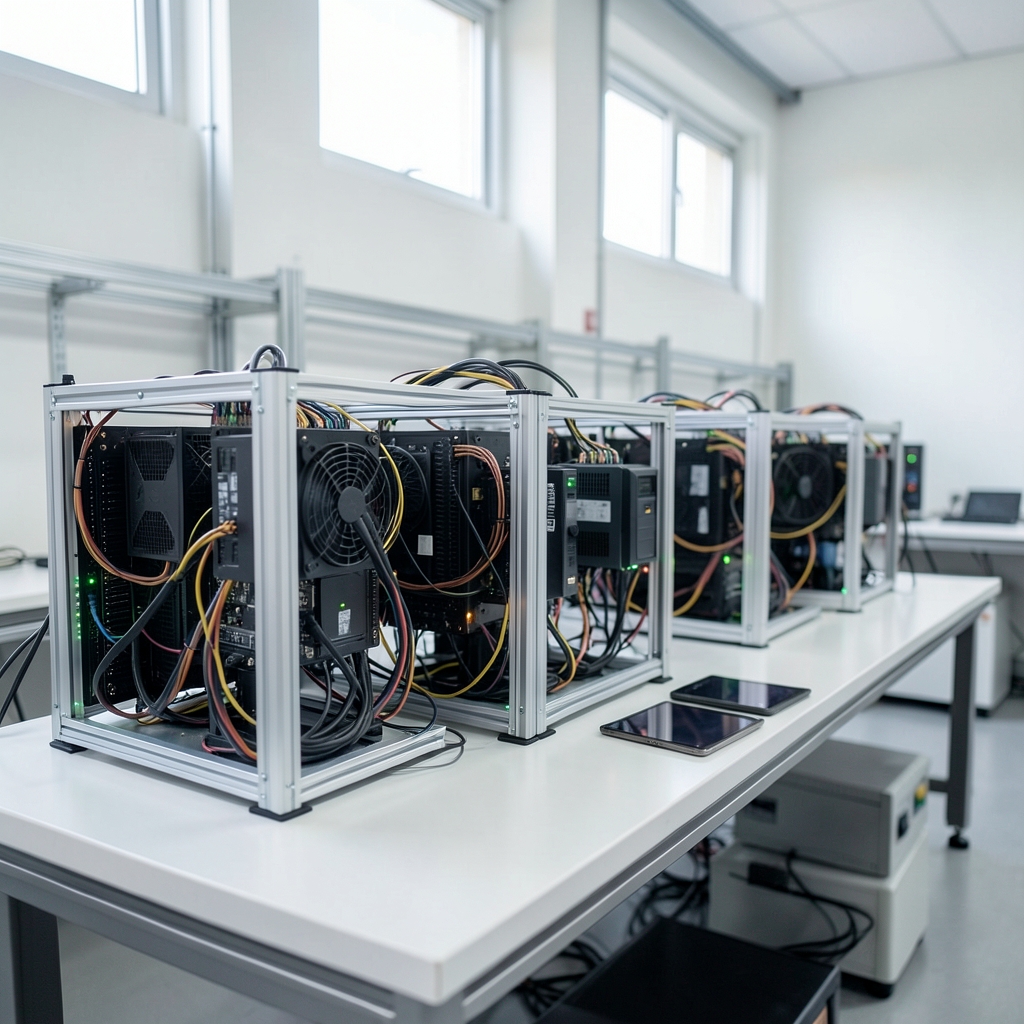
What happens to a mining operation when a rig silently drops offline at 3 a.m. and nobody notices until the next morning? The answer is usually the same: hours of lost hashrate, a few dollars or a few hundred dollars gone, and a nagging suspicion that the monitoring tool you pay for should have caught it. That suspicion is worth taking seriously, because mining uptime monitoring sits at an awkward intersection of hardware health, software subscriptions, and security exposure. The fees look small next to electricity bills, and the risks look small next to hardware failure. Both are easy to underestimate.
This article walks through how these tools are priced, where the hidden costs hide, and which risks actually bite operators in practice. It is written for people running real rigs, not for people collecting dashboards.
What Mining Uptime Monitoring Actually Does
A mining uptime monitor polls something, somewhere, and tells you when the answer looks wrong. That “something” is usually one of three layers.
The first layer is the rig controller. Tools query miner software directly, either through a local API or through a management agent, and pull hashrate, temperature, fan speed, and share acceptance rates. This is the most granular view and the one that catches a failing GPU or a thermal problem before it becomes a dead card.
The second layer is the pool. Pool dashboards report effective hashrate, accepted and rejected shares, and stale share counts. Pool-side data is the closest thing to ground truth about whether your work is actually being credited.
The third layer is infrastructure. Power, network reachability, and ambient conditions. A rig that is hashing fine but sitting in a room at 45°C is not actually fine.
The practical point is that no single layer gives you full uptime truth. Pool dashboards can show healthy effective hashrate while one rig is dead and the others are overcompensating. Rig-side tools can show every card online while your pool connection is dropping shares. Cross-checking layers is standard practice, not paranoia.
How the Fee Models Actually Break Down

Pricing in this category is not standardized, and vendors change terms often. Any specific number you read online, including in this article, should be treated as a snapshot rather than a fact. What does stay stable is the shape of the models. There are four you will run into.
| Fee model | How it works | Where it hurts |
|---|---|---|
| Free tier | Capped devices, alert channels, or data retention | You outgrow it exactly when you scale |
| Per-rig or per-device monthly | Price multiplied by rig count | Costs scale linearly with growth |
| Flat subscription tiers | Fixed price with a device ceiling | Overage fees or forced upgrades |
| Self-hosted | No subscription, you run the server | Maintenance time and expertise |
The free-tier trap deserves its own paragraph. Free plans typically cap monitored devices, alert channels, or how far back you can look at historical data. Those caps are usually generous enough to cover a hobby setup and nowhere near enough for a small farm. The moment you cross the device limit, you face a jump from zero to a real monthly bill, and that jump is often steeper than the per-rig math suggests. If you are comparing plans by headline price, the same discipline that applies to affiliate marketing tools pricing comparisons of flat fees versus usage-based billing applies here: the sticker price is the least interesting number on the page.
Per-rig pricing has a subtler problem. It punishes density. An operator with 200 efficient rigs pays ten times what an operator with 20 pays, even though the monitoring workload per rig is nearly identical. Flat tiers flip this, which is why they are attractive at scale, but flat tiers come with device ceilings that create their own cliff.
Self-hosted options change the equation entirely. You trade a subscription for a server, a maintenance window, and the responsibility for keeping the monitor itself alive. For operators who already run infrastructure, that is often the right trade. For operators who want to spend their time on hashrate and not on patching, it usually is not.
The Hidden Costs Nobody Puts on the Pricing Page
Subscription price is the visible cost. The costs that actually move your margin are the ones that show up later.
Alert channel costs. Some tools charge per notification channel, per user seat, or per SMS. A monitor that texts five people every time a fan spins down can generate a surprisingly large messaging bill.
Data retention costs. Long history is what lets you spot a rig that has been degrading for three weeks. Short retention is cheap. Guess which one the entry plan includes.
Integration and setup time. Every hour spent wiring up APIs, tuning thresholds, and writing runbooks is an hour not spent on operations. This cost is real even though no invoice reflects it.
Contract friction. Annual prepay, auto-renewal, and data-export limits are common friction points. An operator who wants to leave a tool after eight months often discovers the data does not come out cleanly and the renewal already fired.
The monitoring gap itself. If the monitor depends on your internet connection and your internet connection is what failed, you paid for silence. A second, independent alert path, such as a mobile notification triggered from the rig side, is worth budgeting for.
Risk One: API Keys Are a Real Attack Surface
Monitoring tools need read access to miner or pool APIs. That access is a credential, and credentials leak. General guidance on scoping and rotating secrets is well established in application security practice, and it applies here without modification.
The specific failure modes are predictable. An API key scoped for read access gets issued with write permissions because the vendor’s setup flow made it easier. The key gets pasted into a shared document or a chat thread. The key never gets rotated because nobody owns rotation. Months later, someone with that key can read wallet and pool identifiers or change configuration.
What actually works in practice is unglamorous. Issue the narrowest scope the monitor needs, and nothing more. Store keys in a secrets manager rather than in plaintext config files. Rotate on a schedule and immediately when someone with access leaves. Log key usage so an anomalous read pattern is visible. None of this is exotic, and all of it is routinely skipped.
Risk Two: The Monitor Is a Single Point of Failure
A hosted monitor is a dependency. If the vendor has an outage, or your link to them drops, you lose alerting at precisely the moment you need it. This is not a hypothetical edge case; it is the structural weakness of any hosted monitoring service.
The mitigation is redundancy by design, not by hope. Run a lightweight local check that can alert independently of the hosted service. Make sure your alert path does not share a failure domain with the thing being monitored. Test the alert path deliberately, by pulling a rig offline and confirming the notification actually arrives, rather than assuming it will.
Self-hosted monitoring removes the vendor dependency and replaces it with a maintenance burden. That is a genuine trade, not a free lunch. A self-hosted monitor that nobody patches is a worse risk than a hosted one with an occasional outage.
Risk Three: Alert Fatigue Turns Monitoring Into Noise
Excessive or poorly tuned alerts cause operators to ignore real incidents. This is one of the better-documented operational failures in monitoring generally, and mining is not immune.
The pattern is always the same. A threshold is set too tight. A fan that oscillates triggers forty notifications a night. Within a week, the operator starts swiping alerts away without reading them. Then a card actually dies and the alert gets swiped too.
What works is fewer, better alerts with clear ownership. Alert on conditions that require action, not on conditions that are merely interesting. Group related alerts so one incident produces one notification. Set a separate, quieter channel for trends. Review the alert list monthly and delete anything that has not led to an action in the past quarter.
Risk Four: Data Privacy and Jurisdiction
Hosted monitors store rig locations, IP addresses, and sometimes wallet addresses on third-party servers. Depending on where the operator and the vendor are located, data protection rules may apply to that stored data. Legal applicability is fact-specific and not something a monitoring vendor’s marketing page will resolve for you.
The practical questions are worth asking before signing. Where is the data stored? Who can access it? What happens to it on cancellation? Can it be exported in a usable format? An operator who cannot answer these questions about their own monitoring data has a gap in their operational picture.
A Practical Way to Compare Tools
Start with the layer you actually need. If you are troubleshooting hardware, rig-side monitoring matters most. If you are reconciling payouts, pool-side data matters most. Most operators need both, and the tools that cover both well are worth more than the tools that cover one brilliantly.
Then check four things in this order: the device ceiling on the plan you can afford, the alert channels included, the data retention window, and the cancellation and export terms. The same checklist logic that helps teams evaluate brand monitoring tools by which features actually matter applies to mining monitors: feature lists are long, and only a handful of items change your day.
If budget is the binding constraint, look at low-cost brand monitoring alternatives that fit tight budgets for the general pattern of what gets cut first, and apply the same skepticism to mining tools. Cheap monitoring that misses the one alert that matters is not cheap.
Common Mistakes That Cost Real Money
Buying on the free tier and never testing the paid tier. The free plan’s alert latency and retention are often different from the paid plan’s. Test the plan you will actually run.
Monitoring only the pool. Pool dashboards are lagging indicators. By the time effective hashrate drops, the rig has been dead for a while.
Setting thresholds once and never revisiting them. Hardware ages. Ambient temperatures change with the season. A threshold tuned in winter will scream all summer.
Ignoring the monitor’s own uptime. If you never test whether the monitor can still reach you, you are trusting a system you have not verified.
Skipping the export question. Ask what happens to your historical data if you leave. The answer is sometimes “it does not come with you.”
Conclusion
Mining uptime monitoring is one of the cheapest line items in a mining operation and one of the easiest to get wrong. The fees are usually modest, but the fee model matters more than the fee itself: per-rig pricing punishes density, free tiers expire exactly when you scale, and flat tiers hide device ceilings. The risks are less obvious and more expensive. Over-scoped API keys, a monitor that shares a failure domain with the thing it watches, alert fatigue that trains you to ignore the one notification that counts, and data stored somewhere you have never asked about.
The operators who get this right tend to do the same few things. They monitor more than one layer. They scope credentials tightly and rotate them. They test their alert path on purpose. They keep the alert list short and review it. And they read the cancellation terms before they need them. None of that requires an expensive tool. It requires treating monitoring as part of operations rather than as a subscription you set and forget.
Frequently Asked Questions
Are free mining uptime monitoring tools good enough for a small farm?
For a handful of rigs, often yes, with caveats. Free tiers typically cap monitored devices, alert channels, and data retention, and those caps change frequently. The real test is whether the free plan’s alert latency and retention match what you need during an actual failure. Test it deliberately before you depend on it.
Is per-rig pricing or a flat subscription cheaper?
It depends entirely on rig count. Per-rig pricing scales linearly and becomes expensive as you grow. Flat tiers are cheaper at scale but come with device ceilings that trigger overage fees or forced upgrades. Calculate your cost at your current count and at double that count before choosing.
What is the biggest security risk with these tools?
Over-scoped and unrotated API keys. Monitoring tools need read access to miner or pool APIs, and that access is a credential. Issue the narrowest scope possible, store keys in a secrets manager, rotate them on a schedule, and revoke them immediately when someone with access leaves.
Can I rely only on my pool dashboard for uptime?
No. Pool dashboards are lagging indicators that show effective hashrate and share acceptance, not hardware health. A rig can be dead while pool-side numbers look acceptable because other rigs compensate. Cross-checking pool data against rig-side monitoring is standard practice.
How do I stop alert fatigue from making monitoring useless?
Alert only on conditions that require action. Group related alerts so one incident produces one notification. Route trends to a quieter channel. Review the alert list monthly and remove anything that has not led to a real action in the past quarter.
What should I check in the contract before paying?
Check the device ceiling on your plan, which alert channels are included and whether any are metered, the data retention window, auto-renewal terms, and whether you can export your historical data in a usable format if you leave. Those five items cause most of the friction operators report.




